Web Tools for University Students
Helping prospective and new students get started at UMBC, with a new student checklist, dates & deadlines checker, and bock viewer for majors & programs.
Responsive UI/UX Design, Product Testing and Maintenance
Summary
New student requirements, application deadlines and information about majors and programs are the top things new and prospective university students look for.
To make that information easier to find on UMBC’s website, I designed:
Each component is mobile-responsive, and meets ADA compliance.
My Roles & Responsibilities
Gather insights on target user needs, such as demographics and student-type
Own the design process from start to finish, delivering development-ready high-fidelity mockups that meet existing brand guidelines
Collaborate with front-end developers to build and test each web component, ensuring responsiveness and usability
Post-launch maintenance: Continually manage and update content, troubleshoot and redesign where needed
New Student Checklist
Audience
New Undergraduate Students
New Graduate Students
Sub-types for both:
First-Year Students
Transfer Students
Domestic Students
International Students
Living on Campus
Shady Grove Campus
Design Solutions
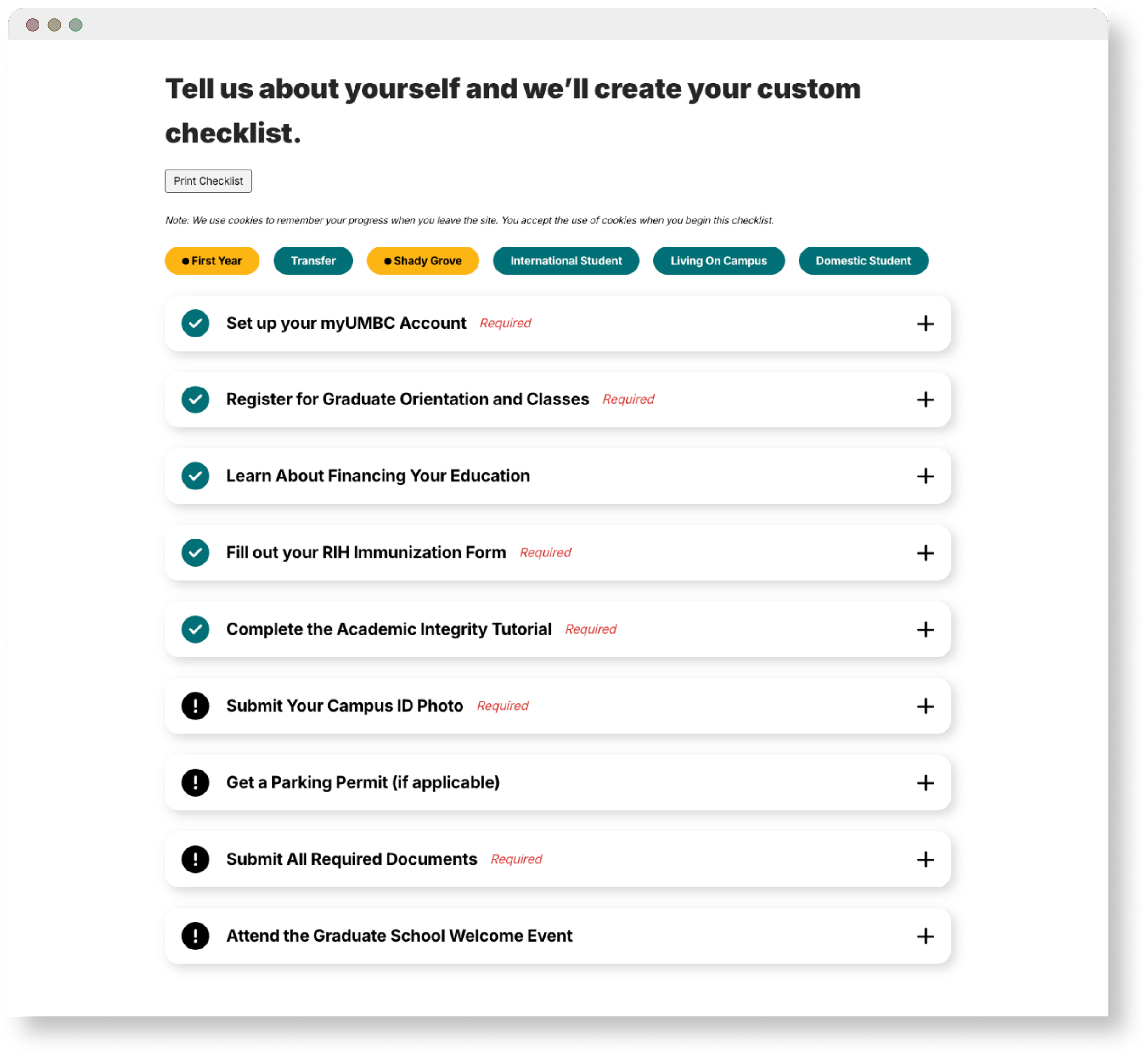
Display information based on selected student-type
Allow multiple selections for overlapping student-types
“Mark as Complete” state vs Incomplete state for checklist items
Desktop view and mobile view
Back-end category and tagging system to manage shared information between undergraduate and graduate students (CMS: Wordpress)
Live Usage Examples
Checklist Items - Closed
Checklist Items - Open
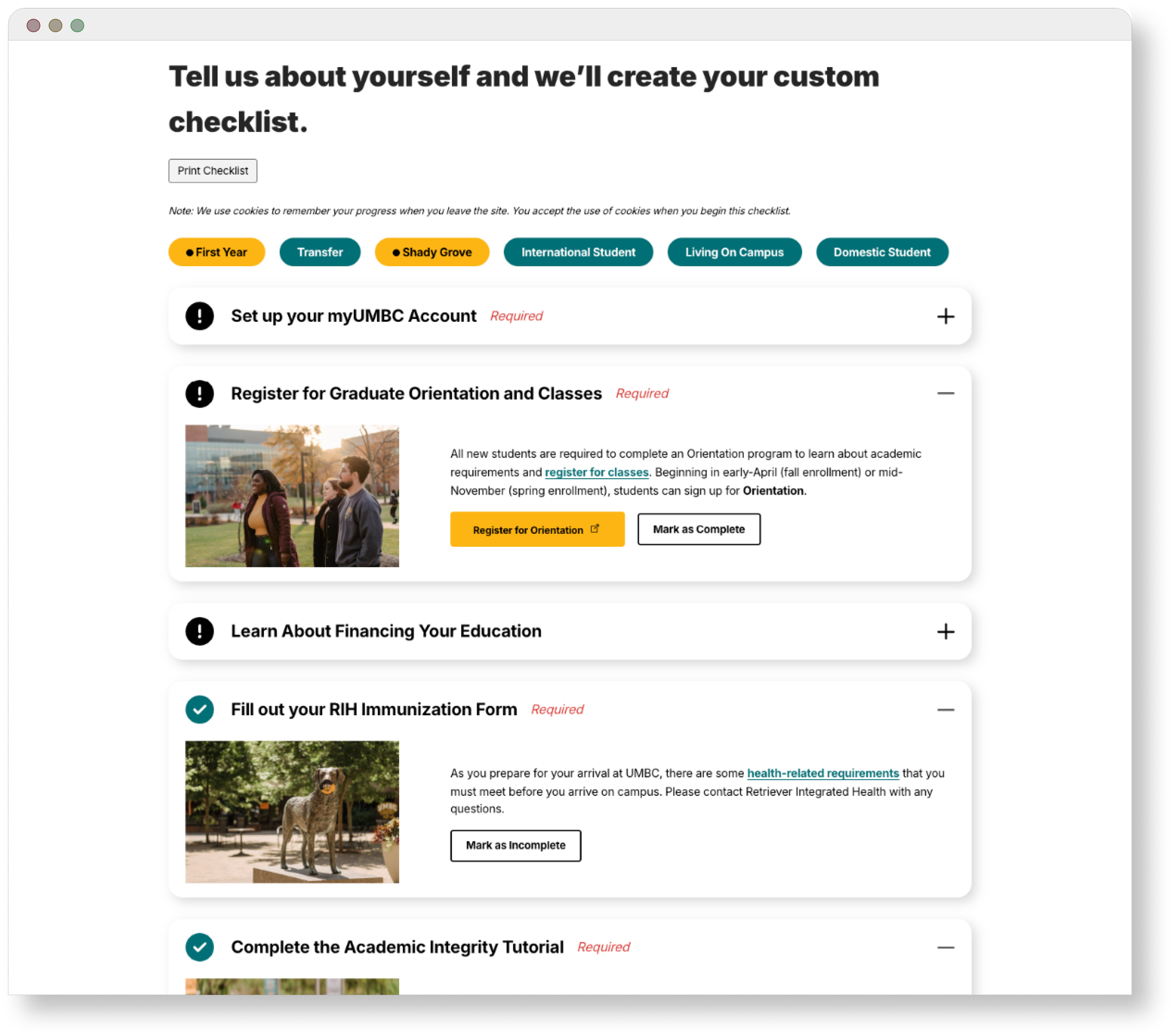
Completed Items & Incomplete Items
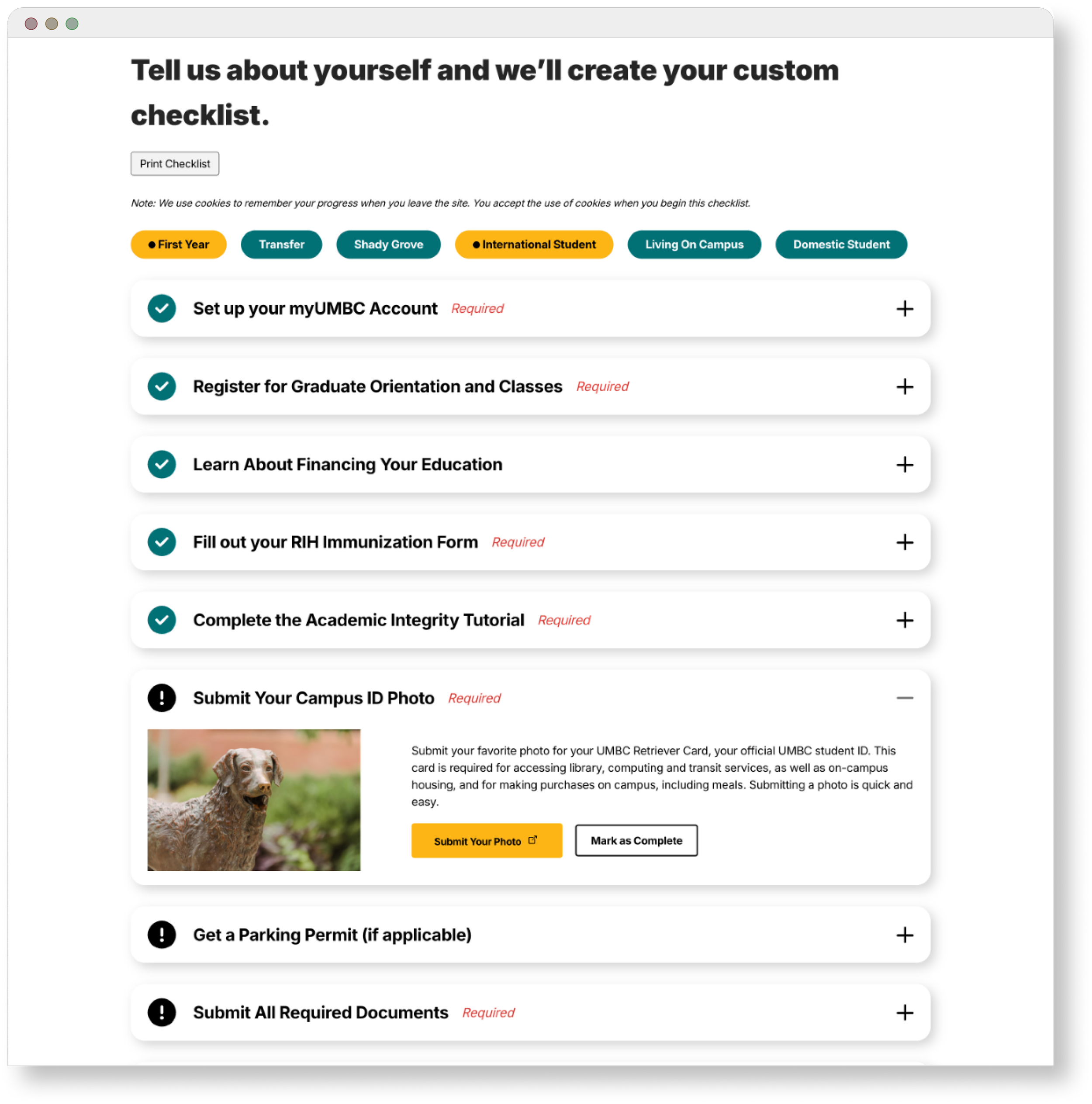
A Closer Look: Responsive UI Design
Desktop Width
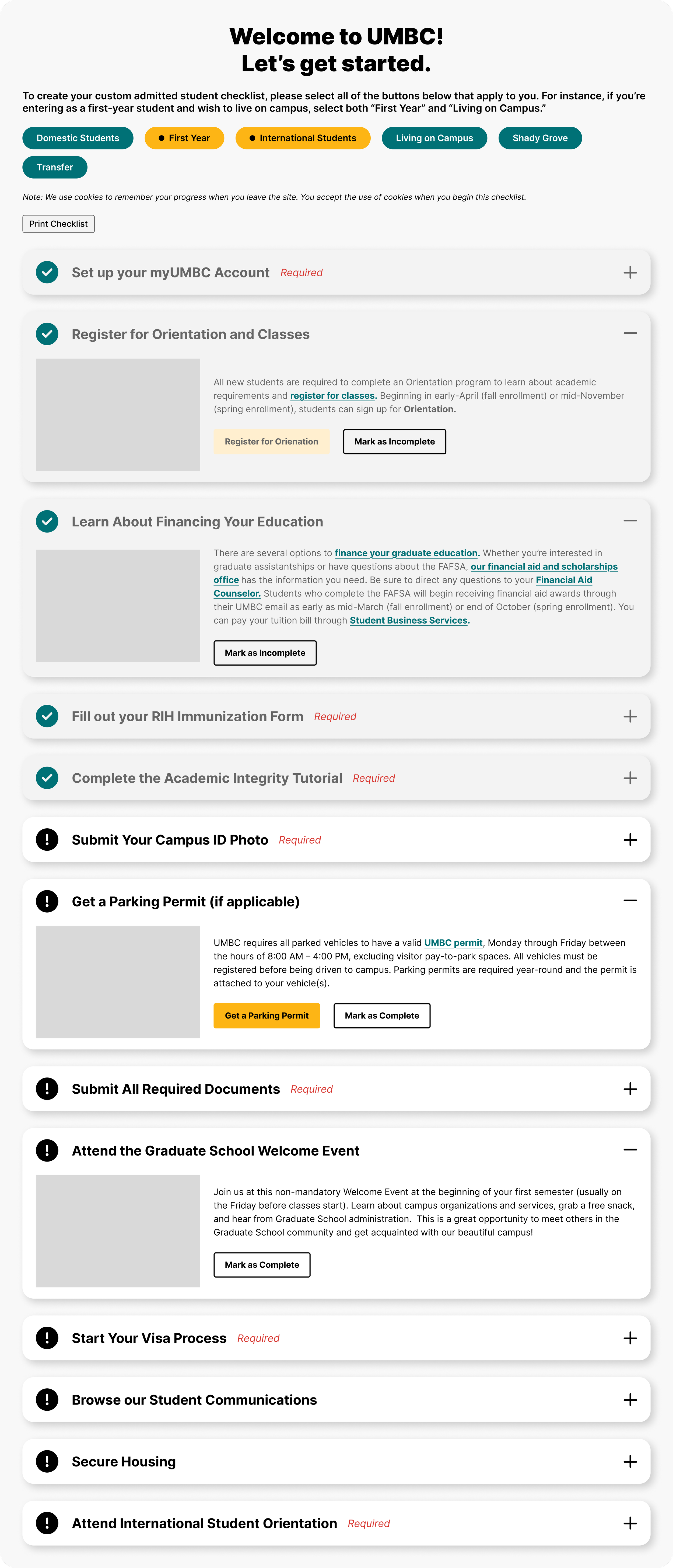
Mobile Breakpoints
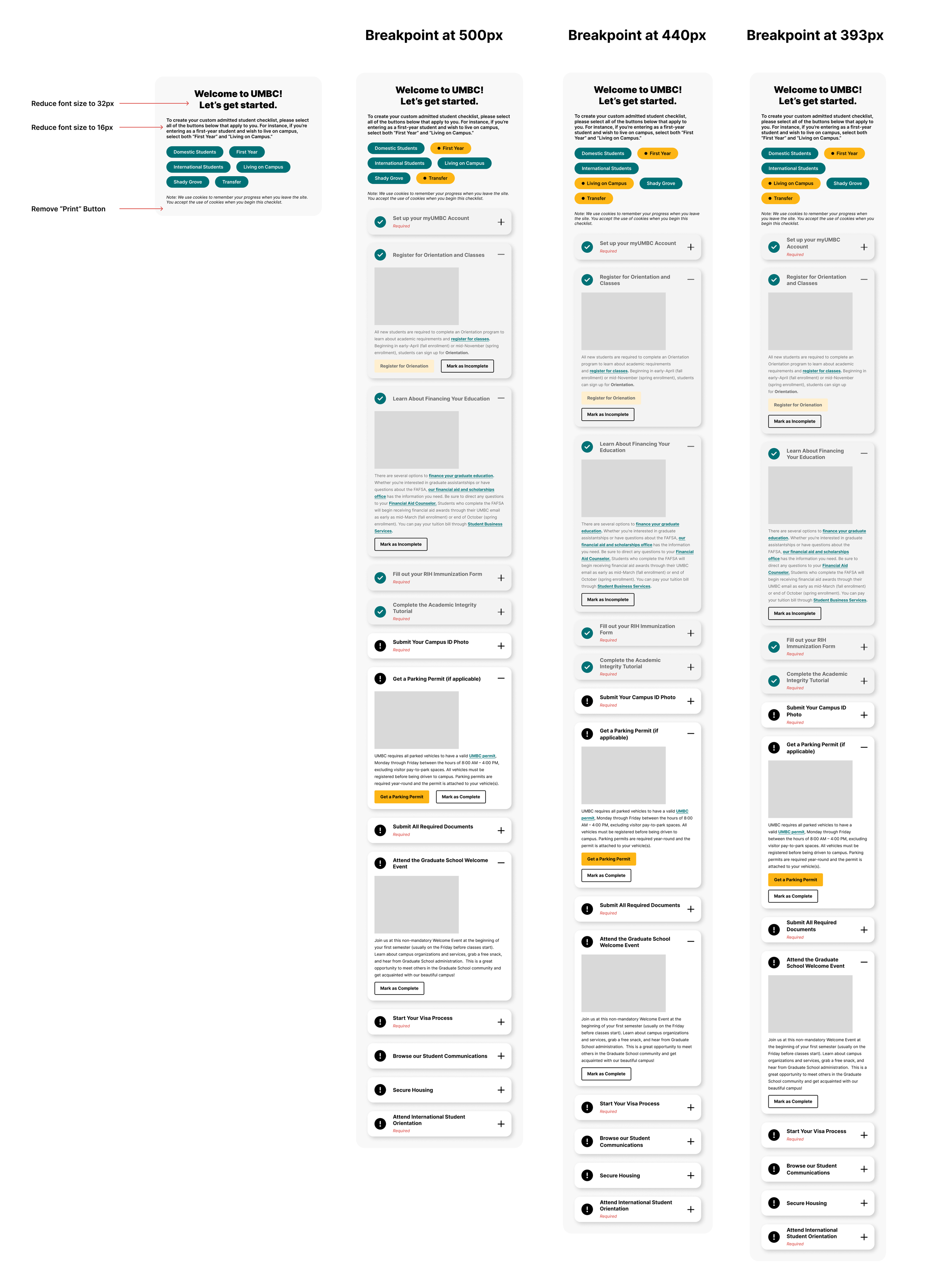
Small Considerations
Annotations made for the Front-End Developer:

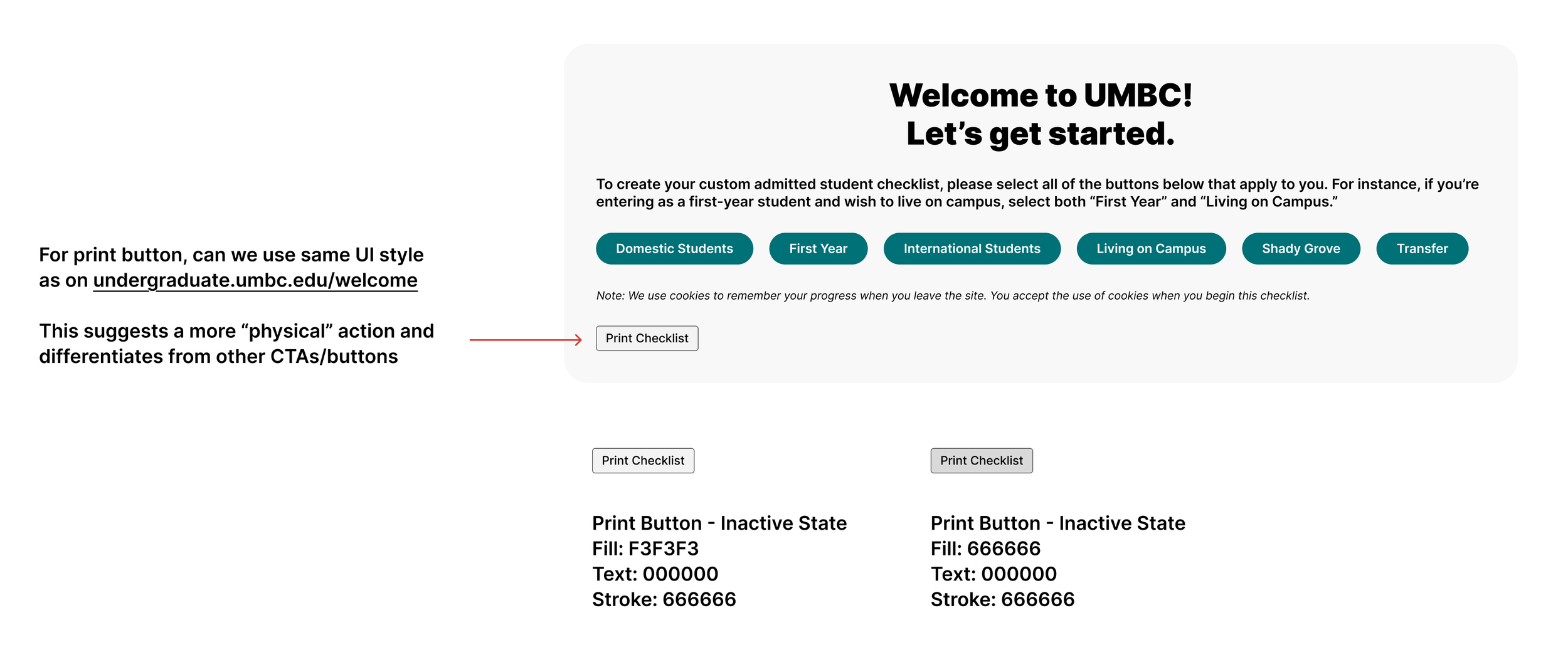
Fulfilling very specific user requests:
Dates & Deadlines Checker
Audience
Prospective Undergraduate Students
First-Year Students
Transfer Students
Reinstatement
Financial Aid
Honors Students (Scholars Programs)
Visual & Performing Arts Students
Design Solutions
Display information based on selected student-type
Single-selection by student-type
Desktop view and mobile view
Back-end category sorting system to manage deadline types such as Spring and Fall deadlines, different scholars programs deadlines, visual arts audition dates, etc (CMS: Wordpress)
For page building: Hide or display deadline categories
Live Usage Examples
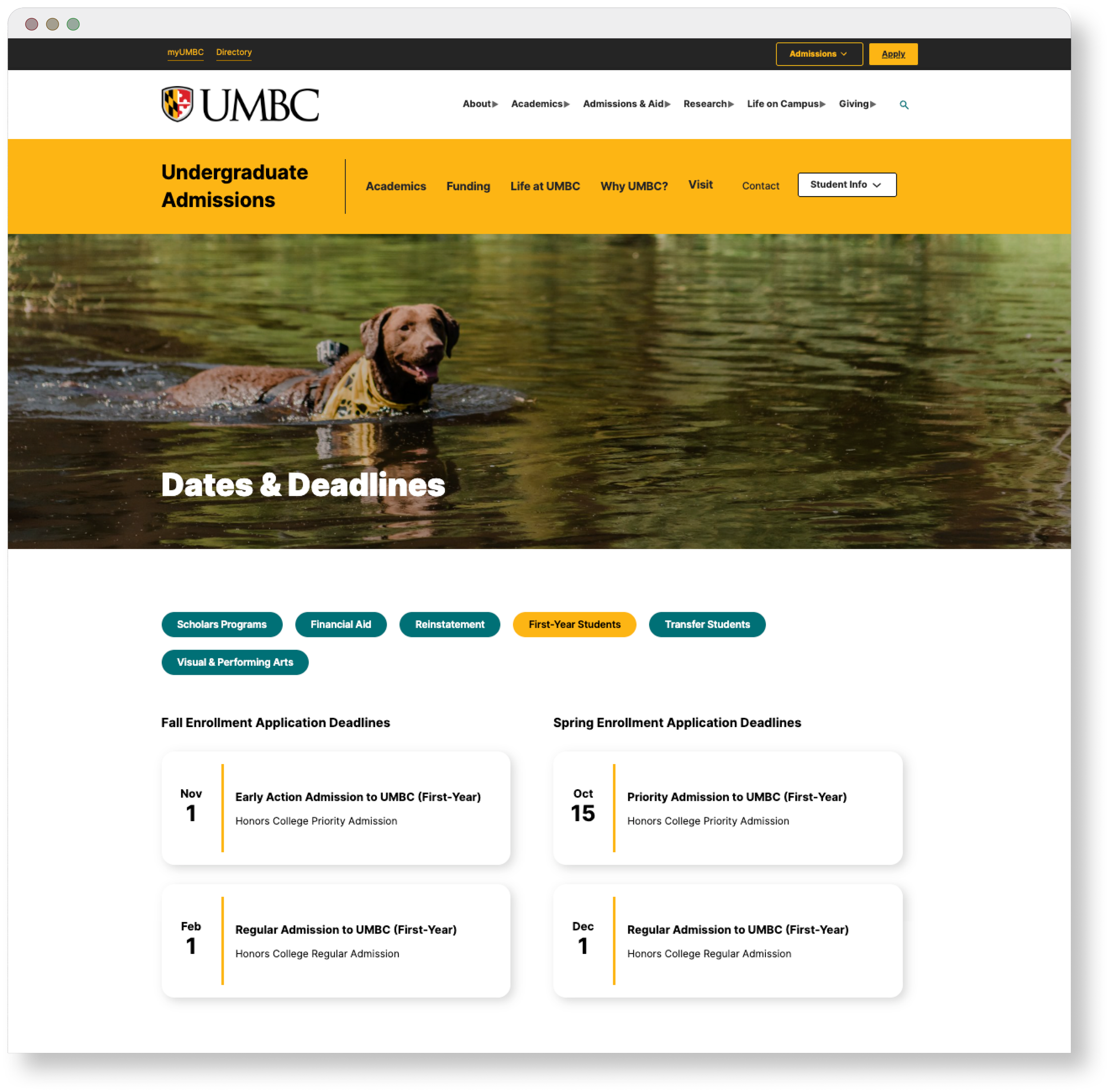
Undergraduate Application Deadlines Page
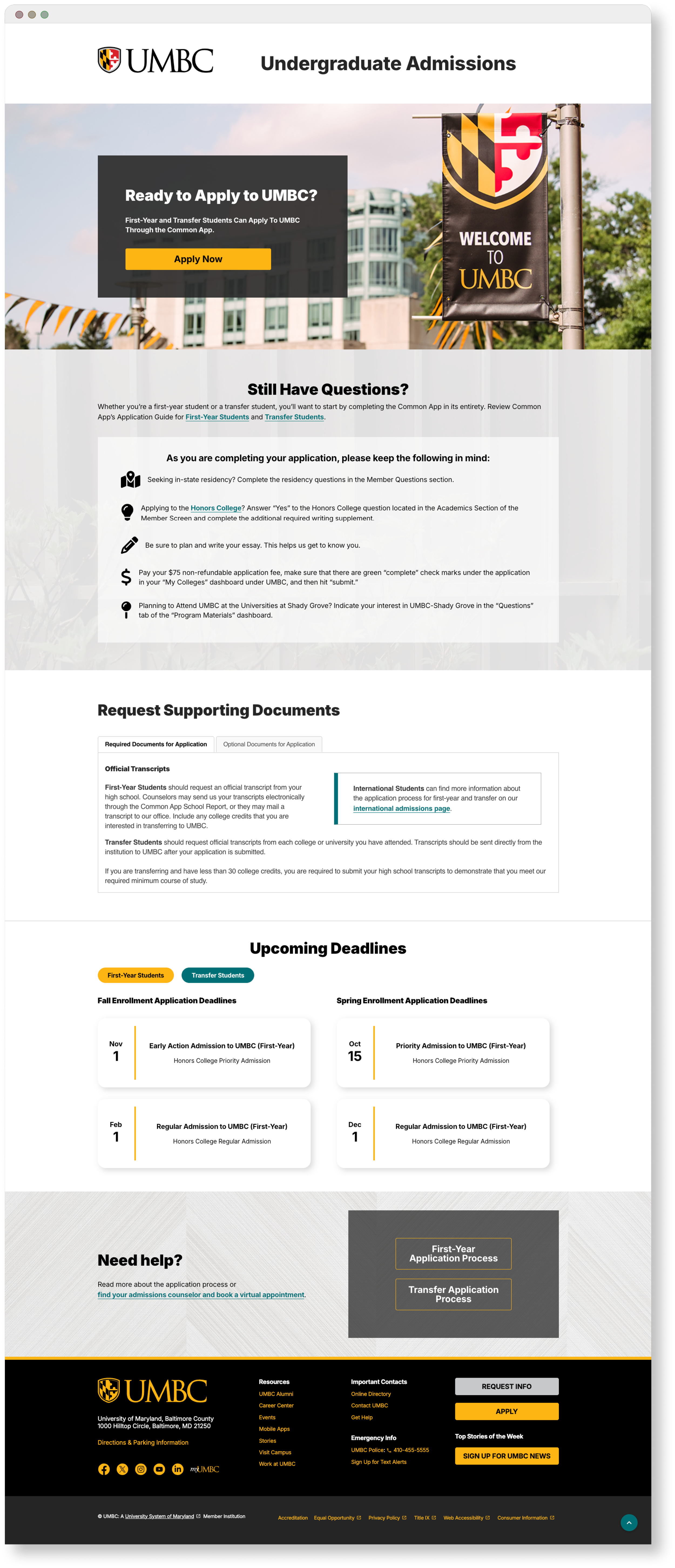
Recruitment Landing Page Usage
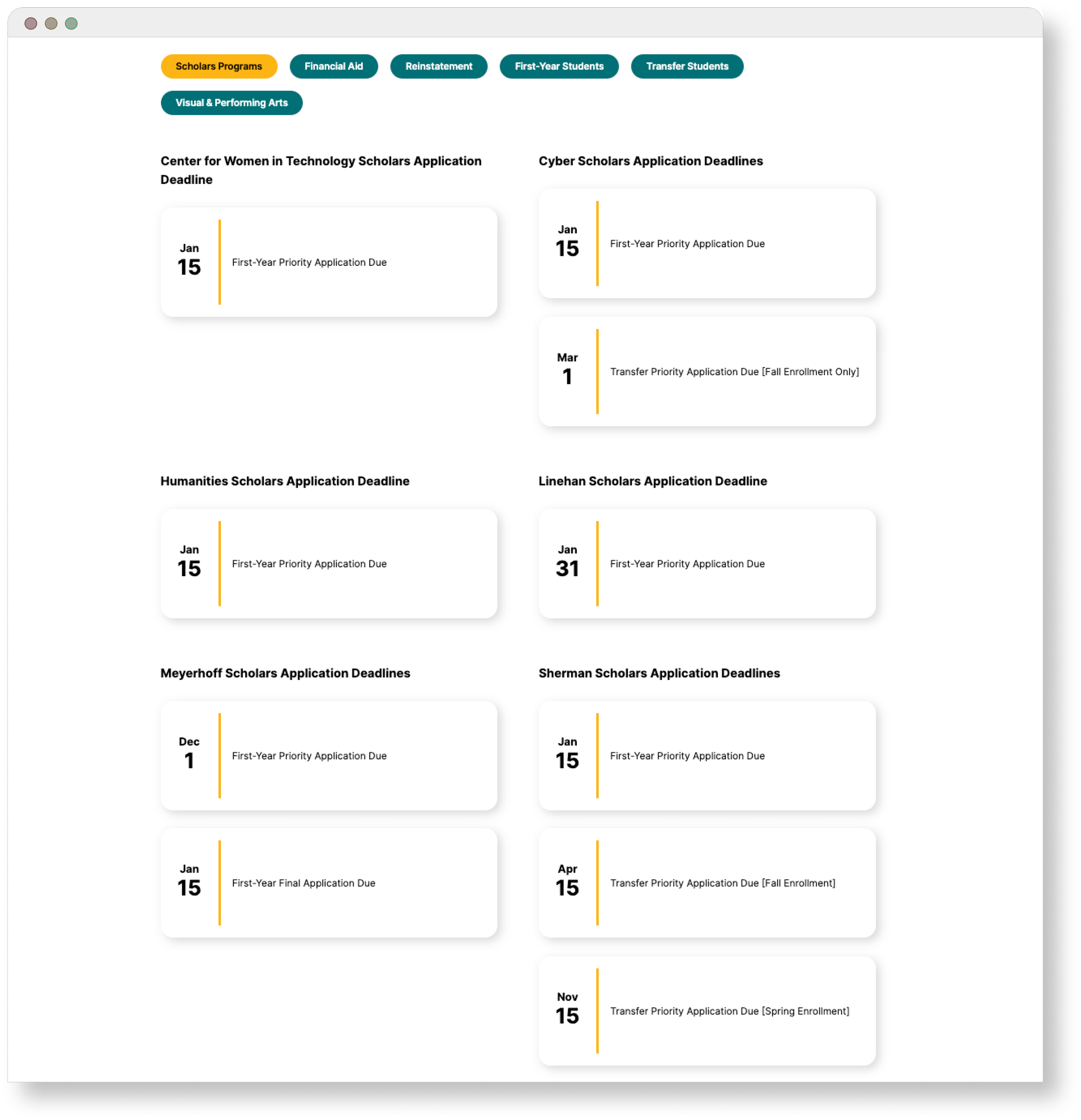
Deadlines by Scholars Program
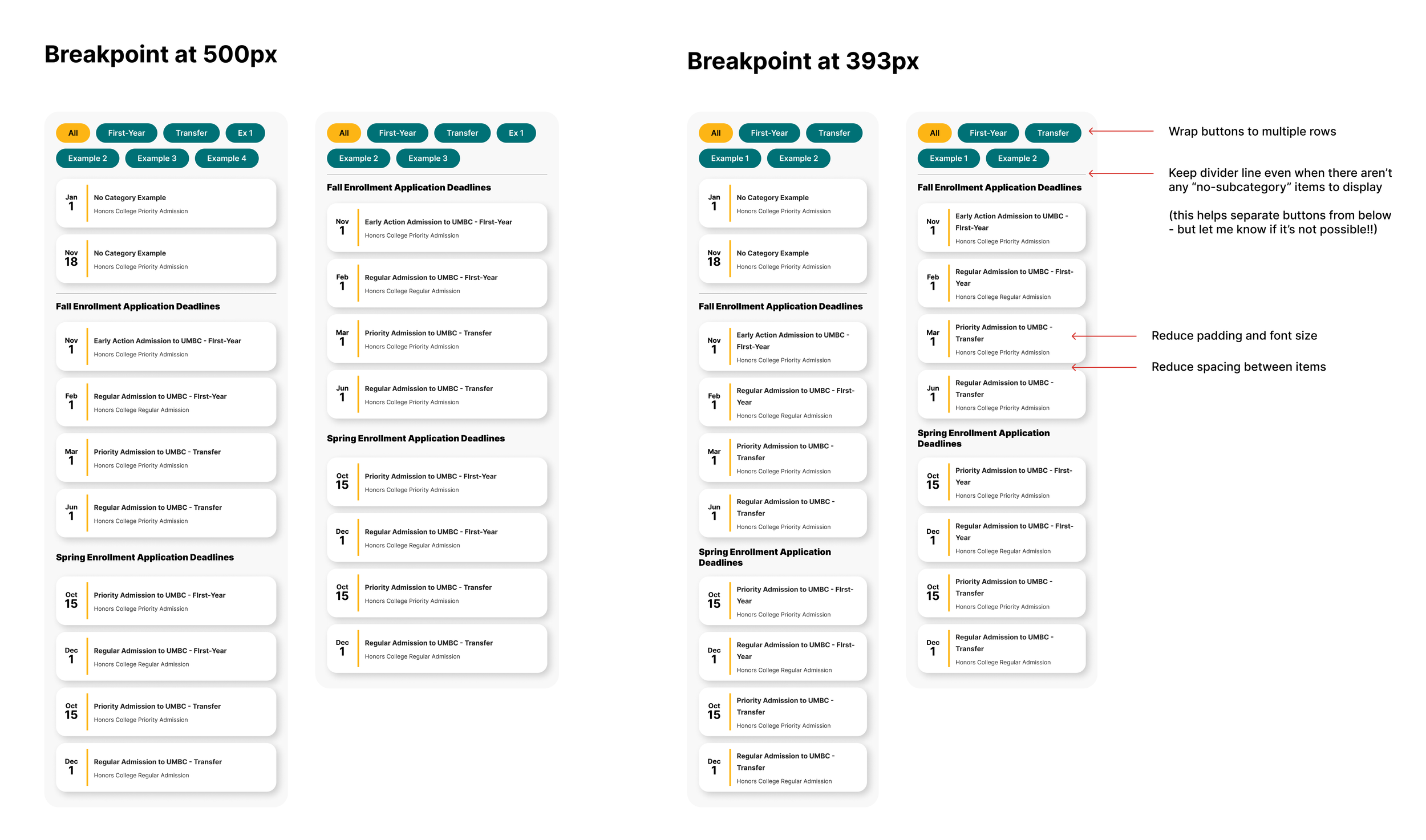
A Closer Look: Responsive UI Design
Desktop Width
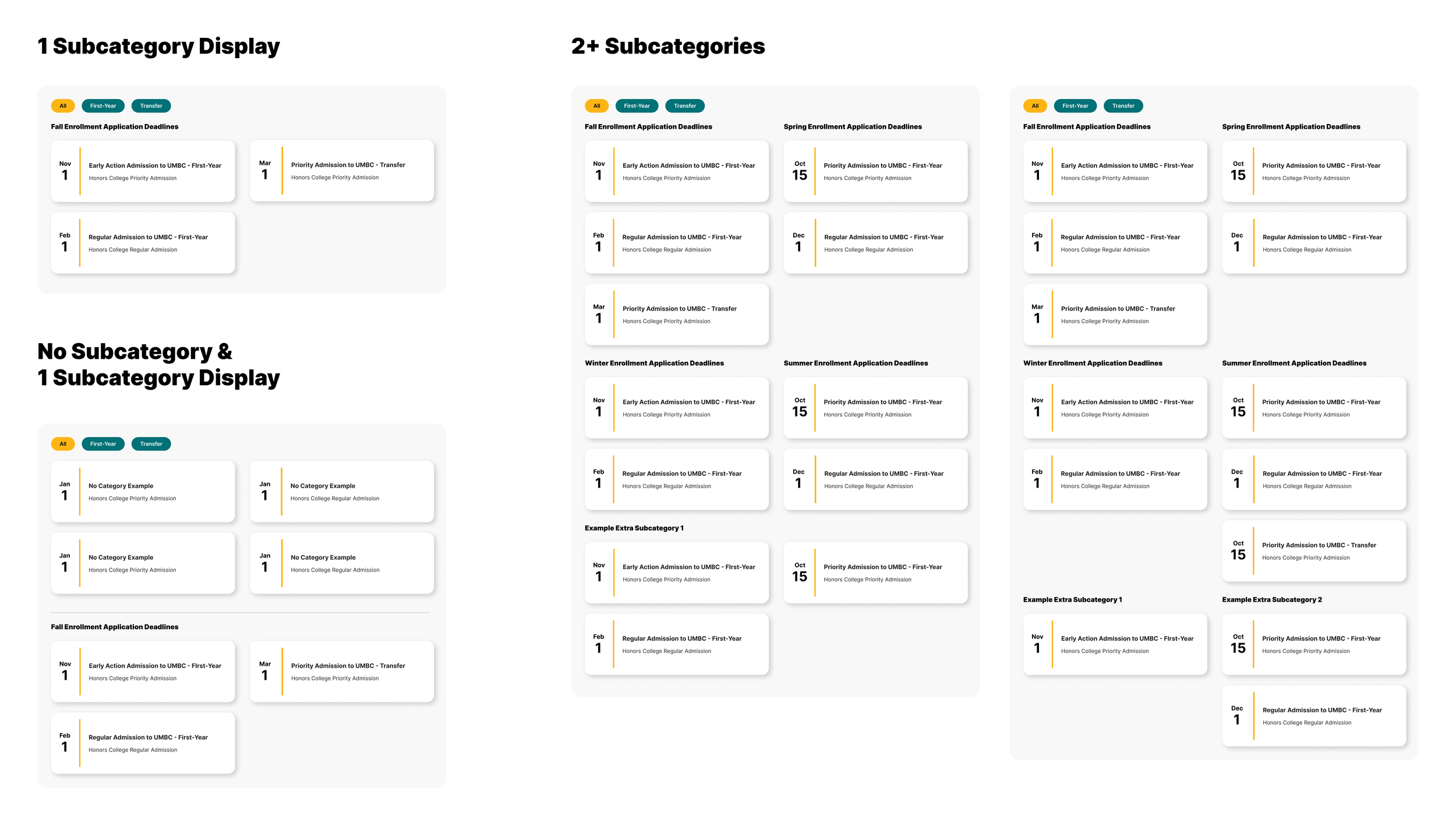
Tablet & Mobile Breakpoints
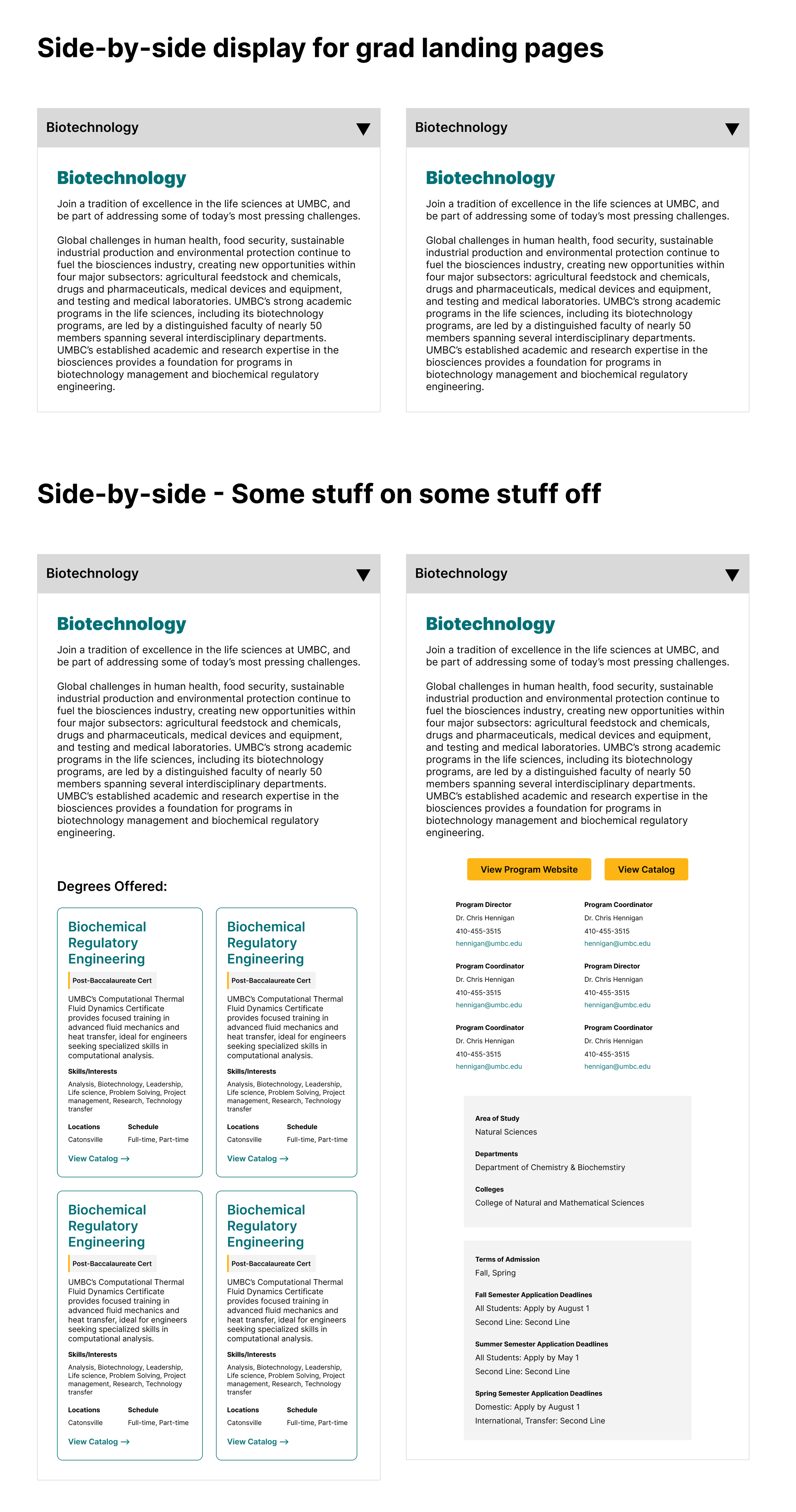
Programs Block Viewer
Audience
Prospective Undergraduate Students
Prospective Graduate Students
Transfer Students
Anyone looking to take a class at UMBC
Design Solutions
Display complex information in easily digestible chunks
Design multiple views that can be toggled on/off in the back-end, to accommodate various use cases
Notes on Scope
Originally intended for usage on graduate marketing landing pages to highlight specific programs and target new students
Loss of budget halted project progress
A Closer Look at the UI
Desktop Width
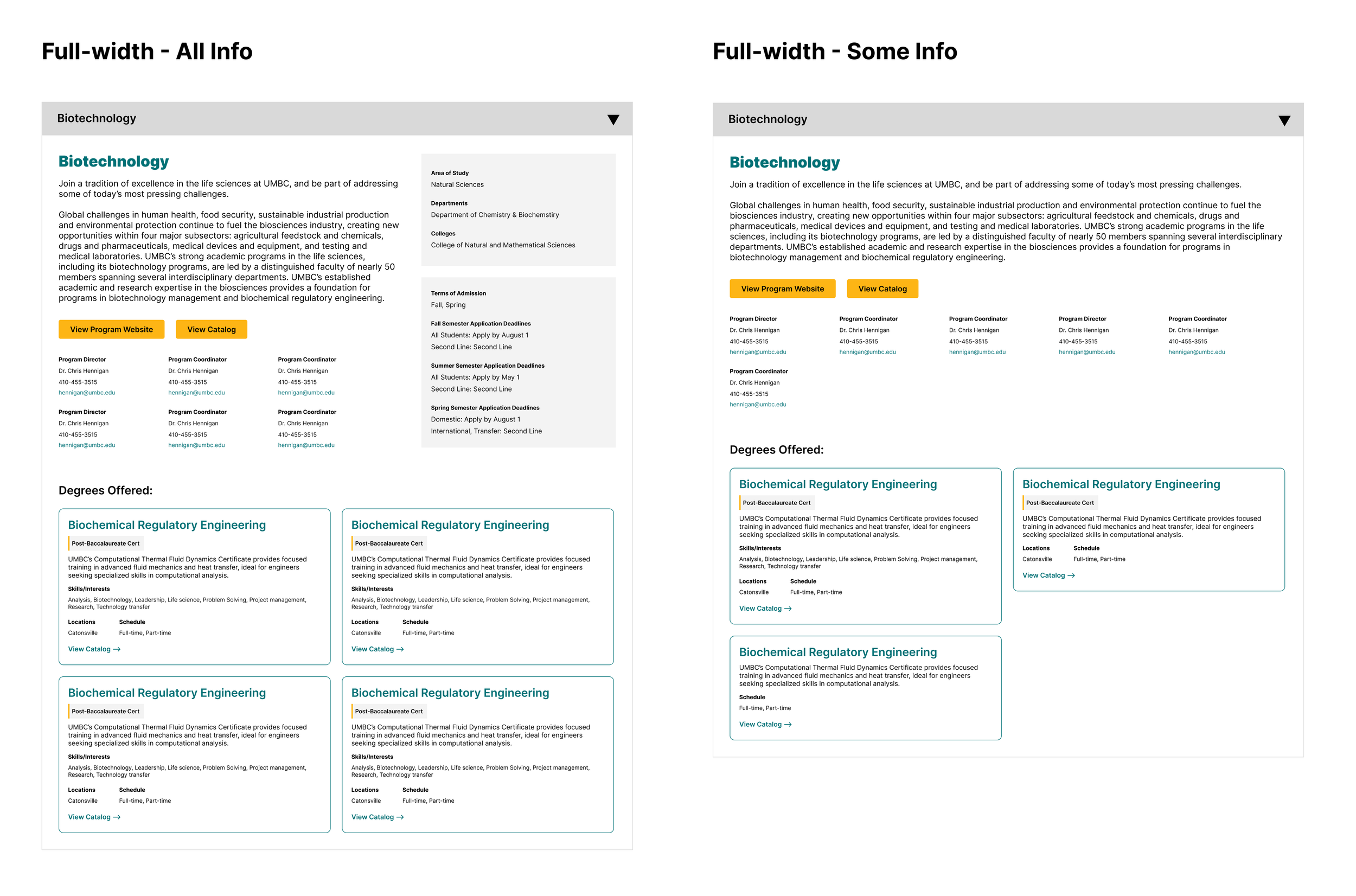
Tablet & Mobile Width
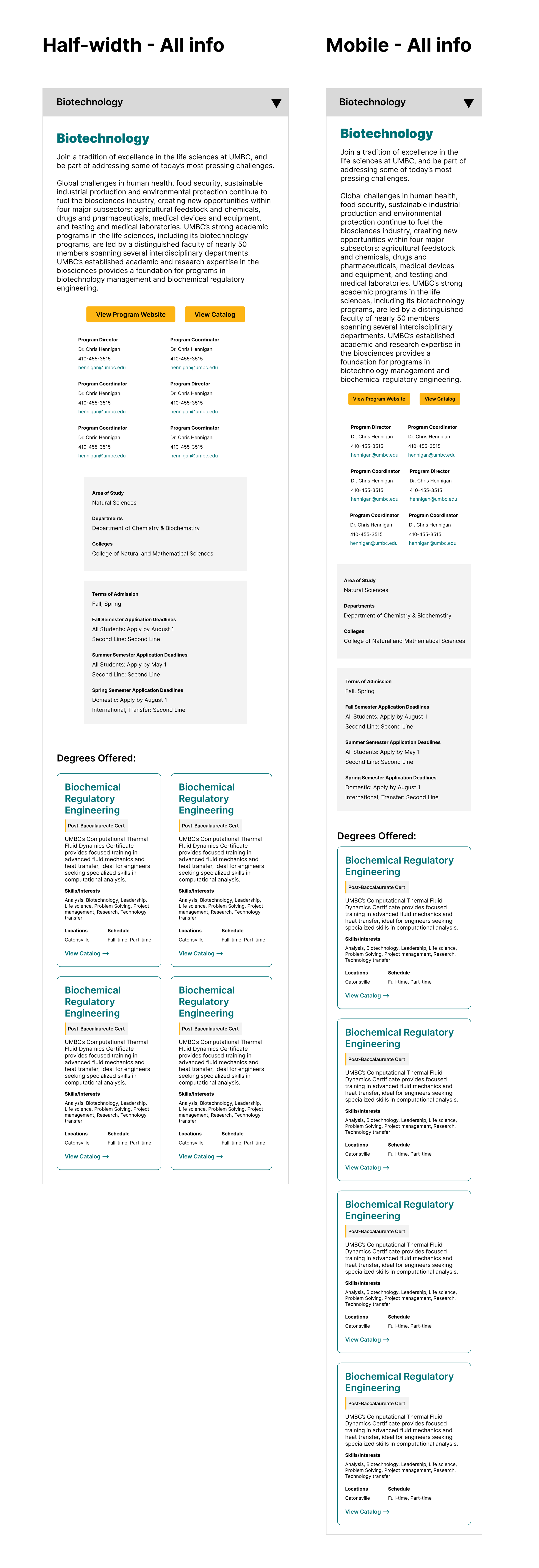
Use Case Planning